Use a ready-made recipe for your task
Recipes chain several tools for common office work. Pick one by task and run it on one file or many.
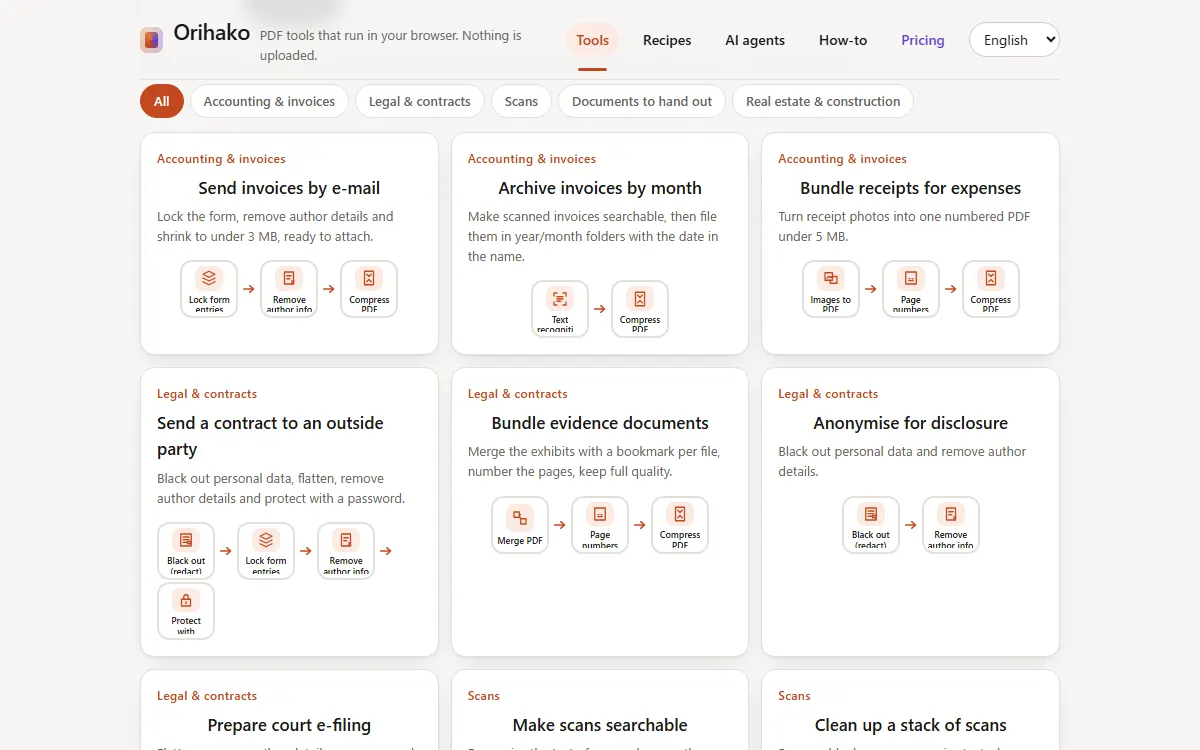
Choose by task
On the home page, switch to By task and narrow the list by field. Each card shows its steps as small tiles.
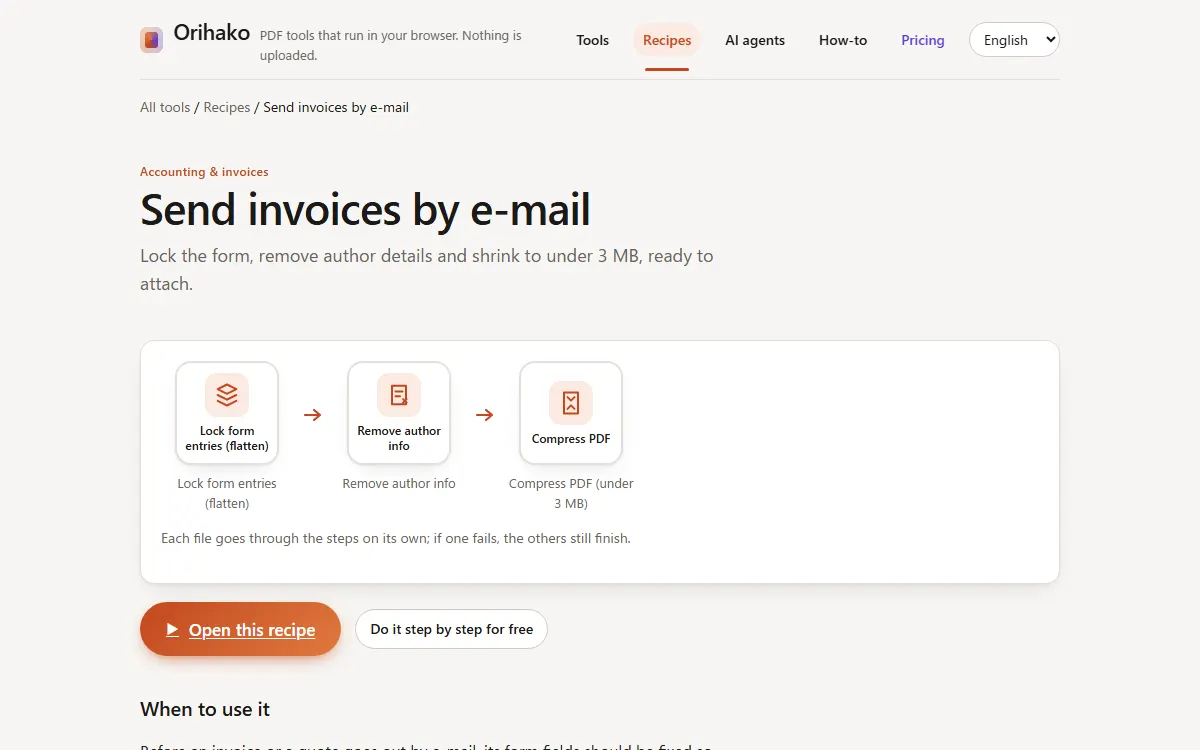
Read what it does
The recipe page shows the steps in order and what each one changes. Press Open this recipe when it fits.
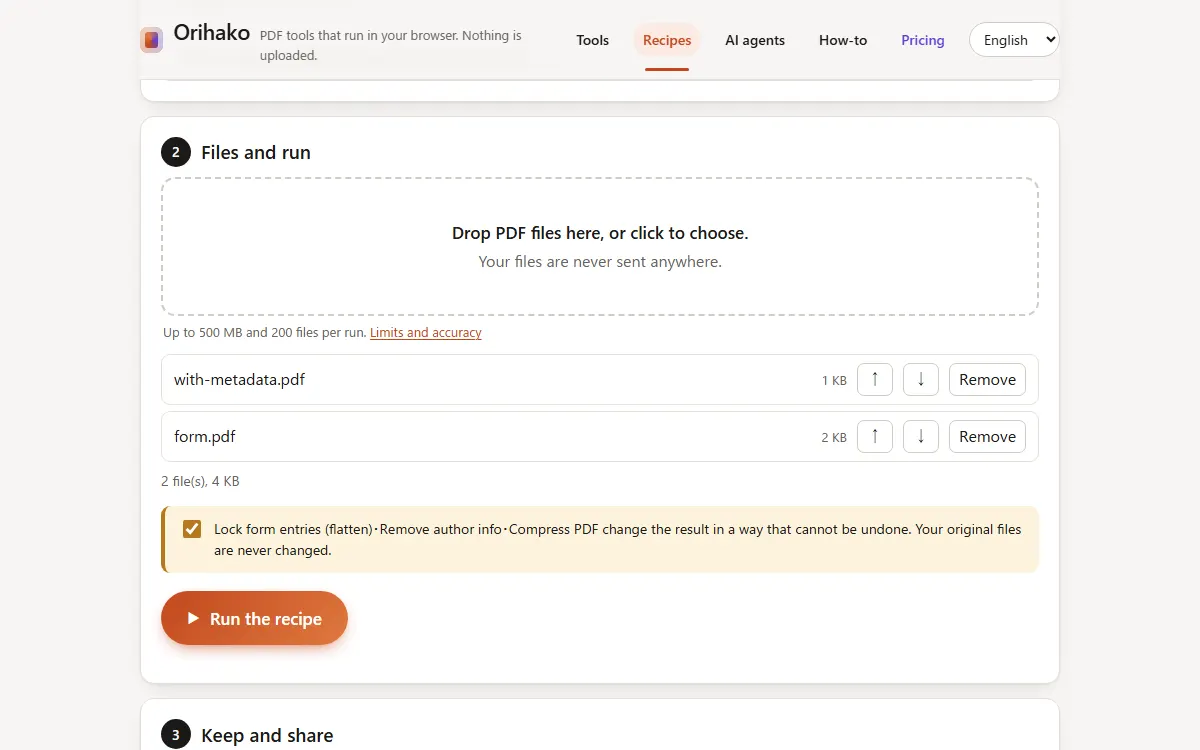
Drop files and confirm
Drop your files. When a step cannot be undone, such as compression, tick the box to confirm; your originals never change.
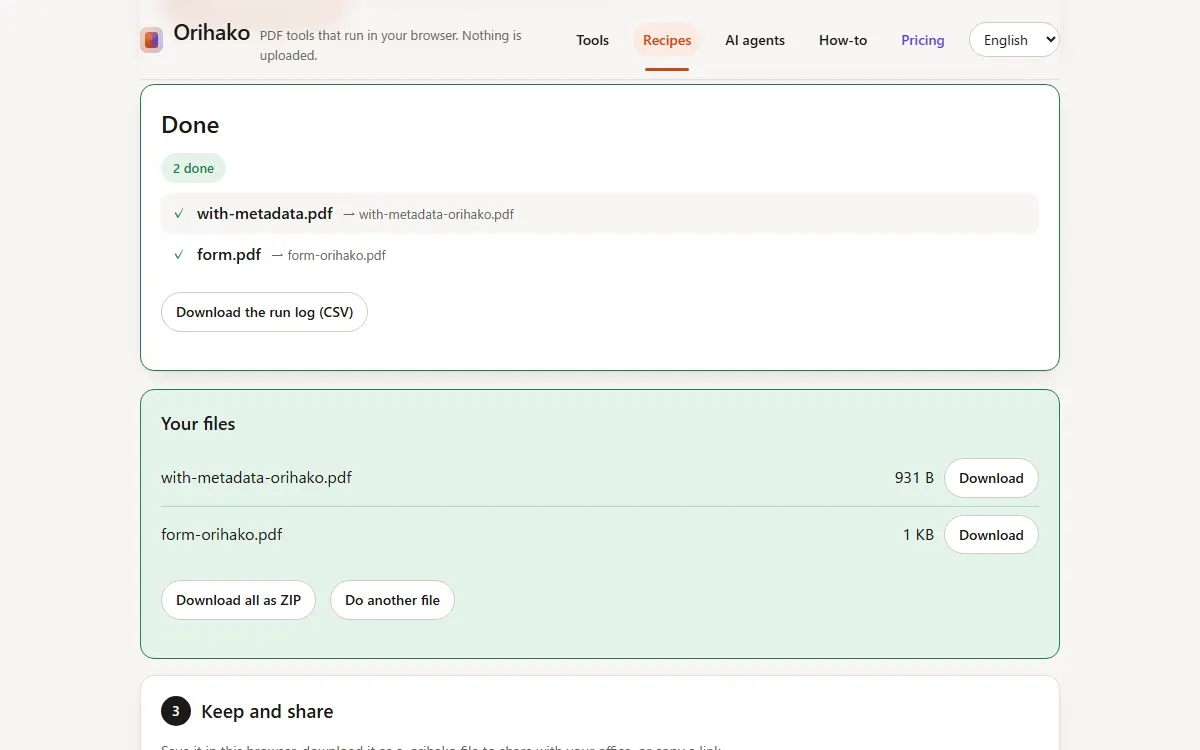
Run and download
Press Run. Each file gets its own result; a file that fails is listed with the step and the reason.
Tips
- Without Pro, the recipe page lists the same tools to use one by one, for free.
- Change any setting before running: a recipe is a starting point, not a fixed product.
Last updated: 2026-09-15